Showing posts with label CD/DVD Burner. Show all posts

Monday, February 24, 2014

DeepBurner

Need a lightweight, powerful and rock-solid burning application that would work with your drive? Small, easy to start, intuitive to use and powerful, featuring all you need- it is DeepBurner.
DeepBurner will be able to solve most of your burning needs: be it burning of Data/Audio/Video CDs, all types of DVDs, composing photo albums and even burning backups. Every operation starts with a simple wizard, thus virtually everyone can use DeepBurner.
DeepBurner Free is intended for home users. It works on Windows 95/98/2000/NT/ME/XP and is virtually compatible with ANY CD/DVD burner.
  • You can easily create and burn regular data CDs/DVDs
  • AudioCD recording functionality is included
  • Quickly build and burn ISO Images
  • Supports IDE/EIDE, USB, SCSI, and Fire Wire CD/DVD writers
  • Overburn function
  • Buffer underrun technology "Burn-Proof"
  • DAO, SAO and TAO Writing methods support
  • Support for CD-R / CD-RW / DVD-R / DVD+R / DVD-RW / DVD+RW / DVD-RAM
  • Create Multi-session CDs
  • Bootable CD/DVD support
  • Dynamically adjustable drive buffer size
  • High Performance File/Disc Caching
  • Supports Long File Name (Joliet) File Systems
  • Creates ISO (100% DOS/Windows) compatible data CDs/DVDs
  • Supports multiple simultaneous recorders
  • Easy to use wizards help you create any type of burning project
  • The Autorun Wizard makes it easy to create effective autoruns for your CDs
  • You can even easily make your own cover, booklet or case insert
  • Multi-language interface, of course 


Homepage

Download Here


DAEMON Tools Lite

With DAEMON Tools you can back up your physical CD/DVD/HD DVD/Blu-ray discs into "virtual discs" or so called "disc image" files, which run directly on your hard drive. You can also work with images created by other burning programs! DAEMON Tools supports variety of image types. Use CD/DVD image converter to have one format images in your Image Catalog!
1. Emulate virtual CD/DVD-ROM/HD DVD and Blu-ray drives
DAEMON Tools Lite [Commercial] enables you to emulate up to 4 CD/DVD virtual drives on your PC. Virtual drives will appear in your OS just like real ones. Select a virtual drive then choose a disc image you want to mount. Find the created virtual drive with mounted disc image in My Computer. Start working! Looks like working with a real drive and a real disc, doesn't it? Yes, but it is much faster!
2. Create a disc image
With DAEMON Tools Lite [Commercial] you can create ISO and MDS image files from original discs inserted in physical CD/DVD/HD DVD/Blu-ray drives. Or use images you have created earlier with other program. DAEMON Tools products work with variety of image types.
Key features
  • creates *.iso and *.mds images;
  • emulates up to 4 virtual CD/DVD drives;
  • performs image mounting and unmounting;
  • supports *.b5t, *.b6t, *.bwt, *.ccd, *.cdi, *.cue, *.nrg, *.pdi, *.isz;
  • offers powerful command line interface.
 
Homepage

Download here


CDex

CDex can extract the data directly (digital) from an Audio CD, which is generally called a CD Ripper or a CDDA utility. The resulting audio file can be a plain WAV file (useful for making compilation audio CDs) or the ripped audio data can be compressed using an audio encoder. Many encoders are supported.
WAV files on the hard drive can be converted to a Compressed Audio File (and vice-versa). CDex also supports many audio file tag formats like the ID3V1 and ID3V2 tags, which can be automatically inserted as part of the ripping process.
Feature List
  • Direct recording of multiple tracks
  • Read / store album information from/to the cdplayer.ini file
  • Read / store album information from/to a local and/or remote CD Database (CDDB)
  • Support CD-Text (if your CD-drive supports it)
  • Advanced jitter correction (based on the cd-paranoia ripping library)
  • Indicates track progress and jitter control
  • Normalization of audio signal
  • Supports many CD-Drive from many manufacters
  • Conversion of external WAV files
  • Support for M3U and PLS play list files
  • Best of all, it's free (GPL license, source code available)
  • Several languages are supported
 

Homepage
Download Here


CDBurnerXP

CDBurnerXP is a free application to burn CDs and DVDs, including Blu-Ray and HD-DVDs. It also includes the feature to burn and create ISOs, as well as a multilanguage interface. Everyone, even companies, can use it for free. It does not include adware or similar malicious components.
Key Features include:
  • burn all kinds of discs
  • audio-CDs with or without gaps between tracks
  • burn and create ISO files
  • data verification after burning process
  • create bootable discs
  • multi-language interface
  • bin/nrg to ISO converter, simple cover printing and much more!
  • Operating Systems: Windows 2000/XP/2003 Server/Vista/Windows 7
 

Homepage

Download Here


Alcohol 120%

Alcohol 120%, is a powerful Windows CD and DVD burning software that makes it easy to create backups of DVDs* and CDs. In addition, the program lets you store your most used CDs as images on your computer, so you can call them up at the click of a button. Now includes Pre-Mastering function and support for Blu-ray format.
Home users make backup copies of their game CDs and movie DVDs*, allowing the kids to treat multimedia disks roughly, without destroying their value.
Librarians and school administrators use Alcohol 120% burning software to archive their institutions' collections of recordable media, protecting themselves against the daily wear and tear that damages discs.
Business users use Alcohol 120% burning software to make duplicate backup copies of software titles, ensuring that they will continue to have access to their licensed software, even if their physical CDs become damaged and unusable.
With Alcohol 120% burning software, you no longer have to worry about CDs or DVDs* getting lost, stolen, or damaged. Duplicate discs work just like the originals, and your entire collection can be archived safely.
This download is for a 30 day trial.


Homepage

Download here

Ape2CD

Turn Ape files into CD tracks

Written by Bogdan Popa

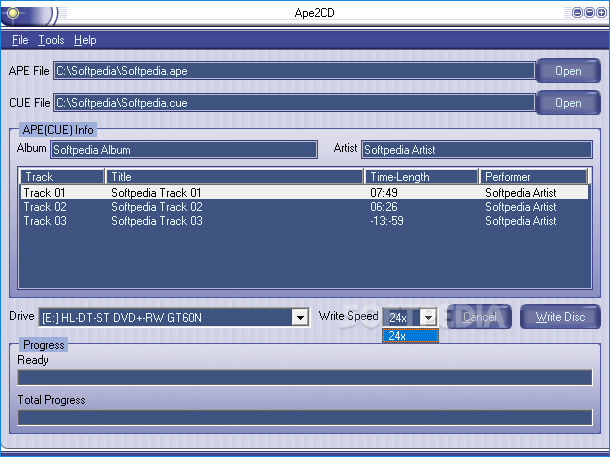
Ape2CD is a tool that tries to make APE file burning a breeze, offering a reliable burning engine and a user-friendly approach to handle the task.

There’s not much to do once you launch the application, as Ape2CD has been designed to be fast and easy to use, so all options are grouped in the main and single window.

Users are thus prompted to pick the APE and the necessary CUE files, while the application also provides two dedicated options to input album and artist information.

There are no settings to play with beside the ones available in this window, which means that you’re only allowed to pick the burner and the writing speed.

The same window is also being used to show the available tracks, titles, time lengths and performers, which is indeed a great way to inform users about the APE files content before proceeding with the actual burning process.

Ape2CD comprises a fast burning engine, close to the one usually available in full-featured burning solutions, so this can only be good news for all those who wish to burn APE files quickly.

Plus, it can handle re-writable discs too and a dedicated erasing feature under the “Tools” menu makes sure such a disc is ready for burning.

All in all, Ape2CD is one quick and easy way to burn APE files, providing an interface that supports skins and an advanced burning engine to complete the task as fast as possible. A help file is there too, although chances are that you don’t need one thanks to the user friendly approach we were talking about.


Here are some key features of "Ape2CD":
  • Easy to use, you only need to select an APE file and a CUE file.
  • Supports all current hardware interfaces (IDE / SCSI / USB / 1394 / SATA).
  • Supports use of high write speeds.
  • No drivers required. ASPI not required for NT / 2000 / XP.
  • Supports use of re-writeable CD formats.
  • Supports multilanguage including English, French, German, Spanish, Italian, Dutch, Portuguese, Simplified Chinese, Traditional Chinese.
  • 11 skins are available.


 Download Here


Audio CD Burner

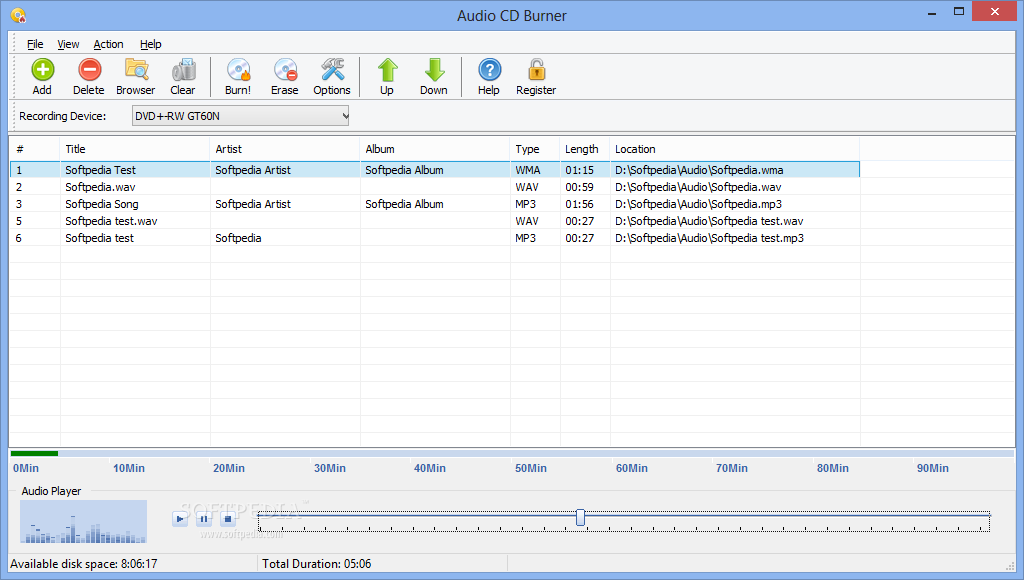
Create your audio CD as easy as 1, 2, 3 with all the necessary tools at hand for preparing the perfect compilation to match your preferences

With Audio CD Burner you will be able to create your own custom music CDs that can be played in any standard home or car stereo.

With Audio CD Burner, you can choose to burn 74 or 80-minute audio CDs on either 74 or 80-minute CD-R/RW discs.

Just drag and drop the songs you want onto the main screen, hit the record button, and in a short time you will have a custom CD! Audio CD Burner work with most popular audio formats: MPEG Layer 3 (MP3), Ogg Vorbis (OGG) and WAV.

There is no need to convert to WAV! Your CD is burned directly saving your hard drive space.

Audio CD Burner supports majority of IDE CD-RW drives assembled in 2001 year or later, if its burn speed is more than 8x.

Supported Audio Formats:
· Uncompressed WAV PCM
· Compressed WAV (GSM, ADPCM, DSP, ALF2 CD and others)
· MP3 (including VBR)
· Ogg Vorbis
Here are some key features of "Audio CD Burner":
  • Make an Audio CD from MP3 files
  • Erase CD-RW
  • Auto-Detect optimum write speed for used disc
  • Auto-Detect low-quality audio files
  • Writes MP3, OGG, WMA and other audio files On-the-Fly as an audio disc
  • Supports BURN-PROOF for error free recording
  • Supports use of high write speeds and HSCD-RW(10x-12x).
  • Multithread buffering system
  • Auto-Detection of not tested drives (from 16x speed recorders)
  • Native Window XP Support. ASPI not required for 2000/2003/XP/Vista
  • Creates detailed logs of the burning process in the system directory
  • USB CD-RW Drives are supported
  • Write Audio CDs, which can be played in all CD players - at home or in the car
  • Write Audio CDs on the highest speed supported by you recorder - Audio CD Burner compatible with CAV, Zone-CLV recorders
Audio CD Burner will help you quickly create your audio CDs as easy as 1, 2, 3 with all the necessary tools at hand

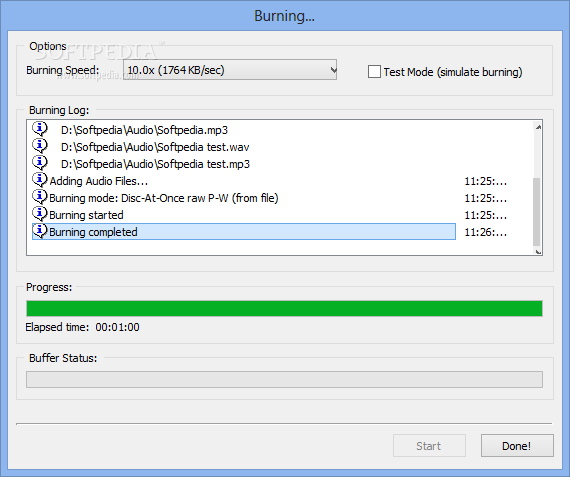
The Burning panel will provide users with burning speed selection capabilities as well as test mode for simulated burning

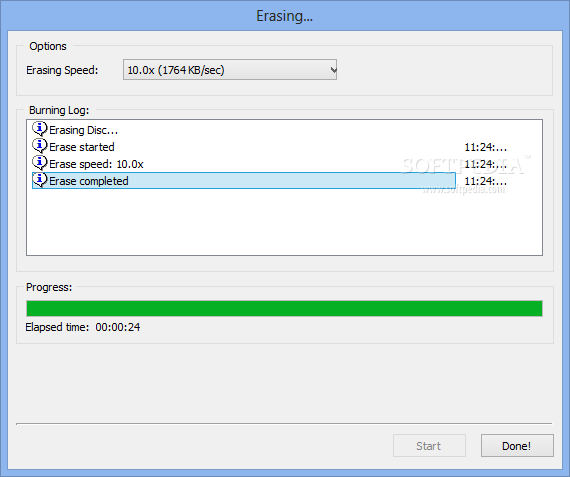
Users will be able to access the erasing section of the application in order to prepare their re-writable CDs for burning


Download Here

Thursday, February 20, 2014

1CLICK DVD Copy Pro

1CLICK DVD COPY - PRO™ is a fast, easy-to-use, full featured software for copying DVD movies onto DVD discs. The latest version now incorporates CPRx™ technology to ensure the highest level of success copying the latest generation of DVD movies. You now have complete control over the final copy. Use the Copy Presets™ or the more advanced features to select what content will be copied and how much compression will be used. With 1CLICK DVD COPY - PRO, you can make a perfect copy with just one click.

1CLICK DVD Copy Pro | 7.0 Mb

 Download Here


Tuesday, February 18, 2014

ISO Workshop

ISO Workshop is a free application specifically designed to facilitate disc image management, conversion and burning operations. The program has a very simple user interface and enables you to make ISO images, extract specific files and folders from disc images, create disc backups by copying disc contents to an ISO or BIN image file, convert different disc image files into the ISO or BIN format and, of course, burn ISO and CUE images to blank discs.


ISO Workshop | 5.10 MB


• Make standard and bootable ISO images
• Extract files and folders from disc image
• Copy disc to disc image (including Audio CD)
• Convert disc image to ISO or BIN format
• Burn ISO or CUE/BIN image to disc
• Supports common formats (ISO, CUE, BIN, NRG, MDF, CDI etc.)
• Supports CD-R/RW, DVD-R/RW, DVD+R/RW, DVD+R DL, BD-R/RE
• Supports verification of written files

Release notes of ISO Workshop:
• Added feature to check for update.
• Added new disc file systems.
• Updated burning engine.
• Minor bug fixes.

 Download Here

Monday, February 17, 2014

Burn4Free

Written by Bogdan Popa on November 9th, 2012

Burning CDs and DVDs is no longer an issue since there are so many powerful software solutions on the market, but new tools keep coming and they promise to offer many extra goodies.

Burn4Free is one of these utilities, one that is able to create data and audio CDs and DVDs, but in the same time, it can also handle ISO images, just like many other disc burners on the market.

As soon as you finish installing the software, you will get to meet an easy to use interface, not too good looking but rather more practical.

The application supports drag and drop, so you just have to add the files you wish to burn in the main window and you are pretty much ready to go. Plus, Burn4Free has a so-called 'Fly Window', which is more like a floating icon that lets you drop files into your current project on the go.

The program supports a wide variety of audio formats, including WAV, WMA, MP3, MP2, MP1 and OGG. The optical discs Burn4Free can write on are the ones you may be well accustomed with: CD-R, CD-RW, DVD-R, DVD+R, DVD-RW, DVD+RW and DVD-RAM.

As it would be expected from such a software, this utility can create ISO compilations and either burn them to disc or store them in a location you specify.

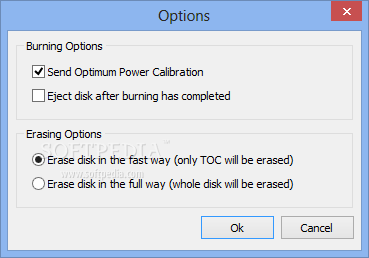
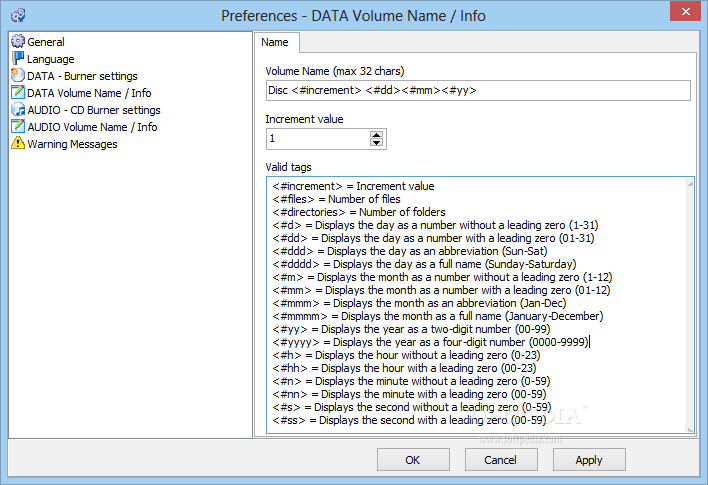
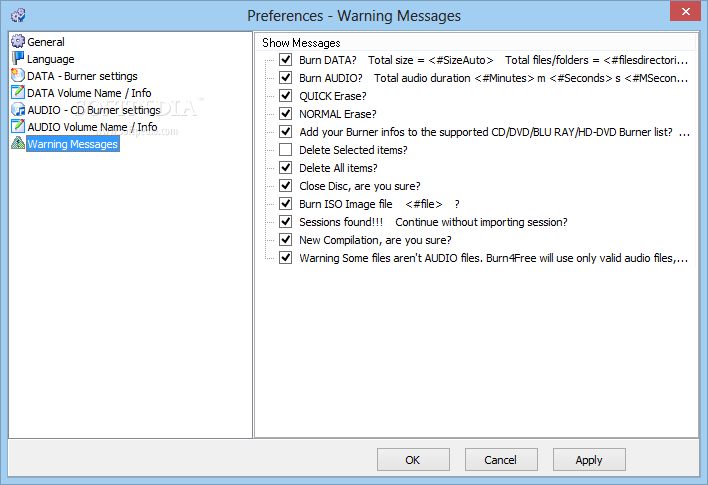
There are some preferences to be customized as well, but the options are not too well organized, so you may have to spend some time in this side of the application.

All things considered, Burn4Free does a pretty decent job as it can help you create new discs and ISO images with minimal effort. The tool comes with a decent feature pack and the easy of use can make it appropriate even for less experienced users.
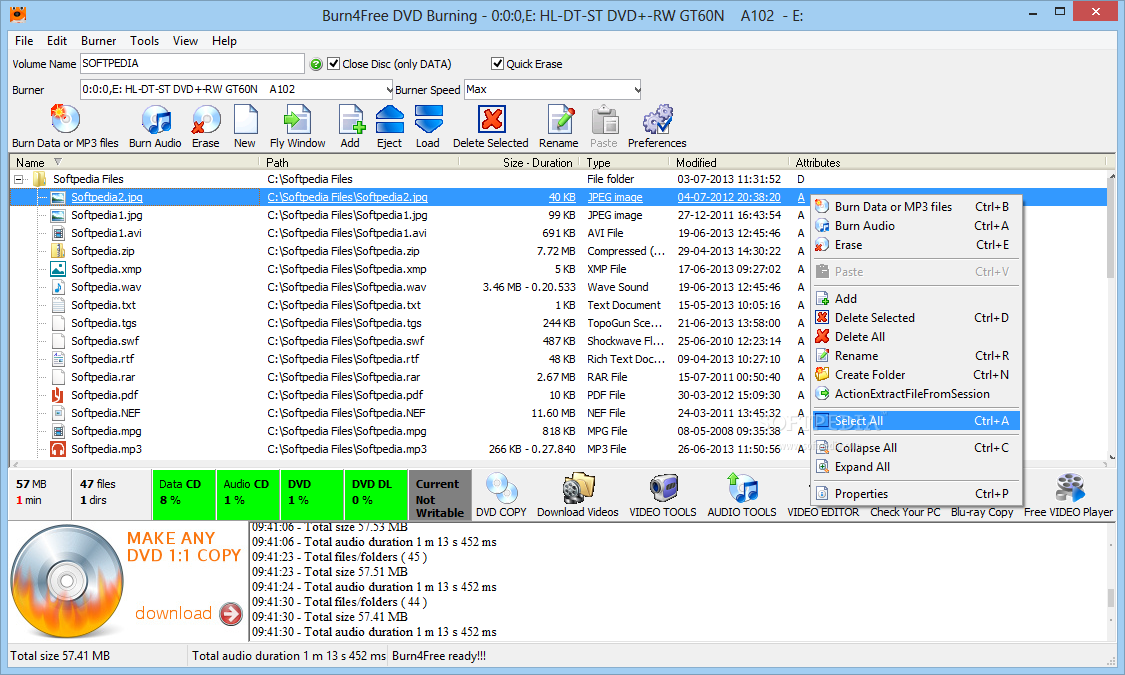
The main window of Burn4Free enables you to add the files and folders you want to burn to discs


You can access the Edit menu when you want to easily select all the items or remove the chosen ones
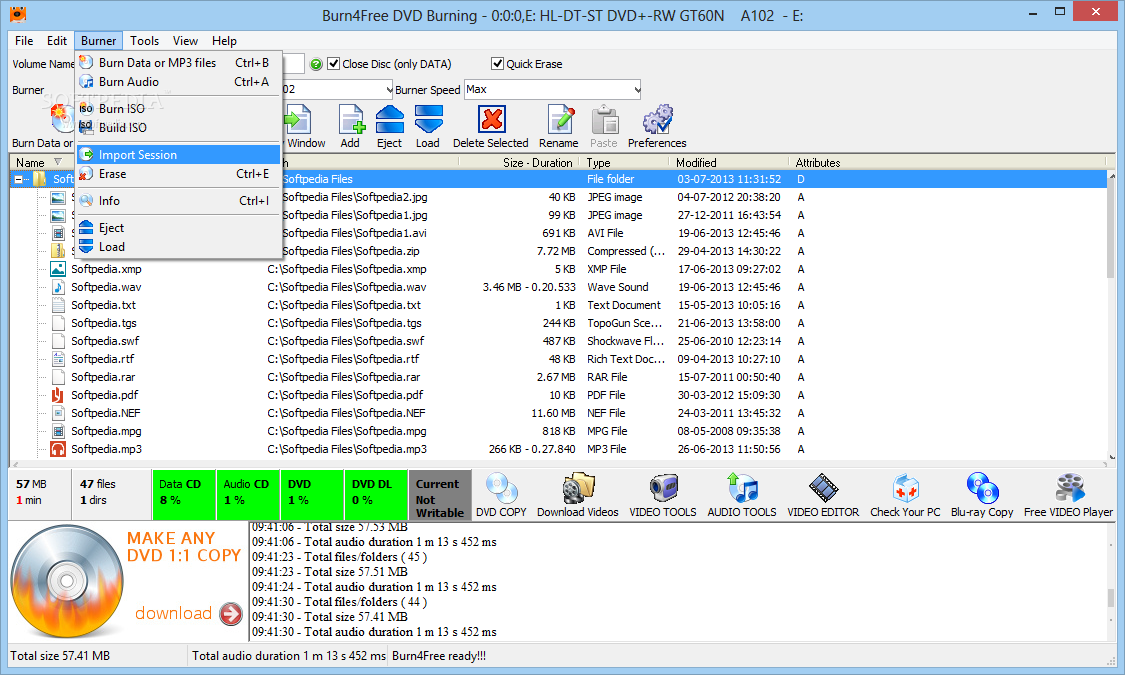
The Burner menu is the place where you can import a previous session, as well as burn or build an ISO image
The image below has been reduced in size. Click on it to see the full version


Description
Burn4Free helps you burn Data CD/DVD and supports different types of files. The program allows you to burn from file types like: WAV, FLAC, WavPack, WMA, M3U (mp3 winamp compilation), MP3, MP2, MP1 OGG and CDA.
It also gives users the possibility to burn and save .ISO files and has DVD dual layer support.


Here are some key features of "Burn4Free":
  • Burns data and audio from different files types (WAV, WMA, MP3, MP2, MP1 and OGG)
  • CD-R / CD-RW / DVD-R / DVD+R / DVD-RW / DVD+RW / DVD-RAM drives (SCSI - IDE / EIDE - USB) are supported
  • Multi languages: few languages are available, choose your favorite
  • Print Compilation
  • DVD Dual Layer support
  • 4 way to burn your CD/DVD: you can choose the way you prefer to burn a CD/DVD
  • Burn and save .ISO files
Requirements:
  • 32 Mbyte Ram
  • Pentium I 200
 

Download Here 
 OR
Download Here


Cool Burning Studio 5.0.1

Many users are tired of over-complicated CD burning applications that are getting harder and harder to use. Sometimes you can waste most of your time just trying to find a function.

Cool Burning Studio focuses on what you want: To burn discs quickly, easily, with maximum quality and minimum hassle. It includes everything you need to be able to do that. And it excludes everything that could get in the way.


Cool Burning Studio will provide users with a simple to use CD/DVD burning piece of software
The SCSI Transport selection menu will SPTI (SCSI Pass Through Interface) or ASPI (Advanced SCSI Programming Interface) options

Users will be able to select the optical drive to use for the burning process within the second step of the wizard


Description

  • Burn files and folders on data CDs/DVDs/Blu-ray discs
  • Burn Audio CDs from WAV, MP3, WMA and Ogg Vorbis files
  • Burn Video DVD, Video CD (VCD) or Super Video CD (S-VCD)
  • Create and burn CD/DVD/Blu-ray disc images
  • Burn speed and other options can all be set automatically
  • Make copies from audio, video or data discs easily
  • Interactive troubleshooting assistant for solving hardware and media problems
  • Erase CD-RWs / DVD+RWs / DVD-RWs/ DVD-RAM/ BD-REs
  • Integrated support for over 1,700 CD, DVD and Blu-ray burners

Requirements:
  • Intel Pentium 500 MHz
  • 128M RAM
  • 50M HD space
Limitations:
  • 10 runs trial

Download Here