Showing posts with label Network. Show all posts

Tuesday, March 4, 2014

NetBalancer - Traffic Control and Monitoring Tool

Control Your Network Traffic

"With NetBalancer you can choose specifically how much you want to limit traffic available to a process."
- Lifehacker.com
NetBalancer is an internet traffic control and monitoring tool designed for Microsoft Windows XP, 2003, Vista, 7, 8 with native x64 support.
With NetBalancer you can:
  • Set for any process a download and/or upload network priority or limit
  • Manage priorities and limits for each network adapter separately
  • Define detailed network traffic rules
  • Group local network computers and balance their traffic synchronised
  • Set global traffic limits
  • Show network traffic in system tray


Homepage

Download Here

Sunday, March 2, 2014

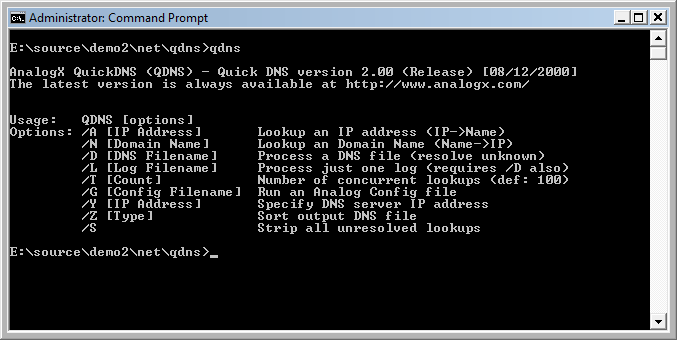
QuickDNS

 If you've used Analog , the webserver log analysis tool (no relation to yours truly), then you know it rocks. One of the best features of Analog is its speed, but it's not as fast as it could be - Enter AnalogX QuickDNS! The only slow spot in Analog is its DNS lookup, which QuickDNS handles! Simply execute it before you run Analog, and it will do all of the DNS work for it, and it even uses the same config file! At its default setting it's about 100x faster than Analog (ie, it runs 100 simultaneous queries), so you'll notice a performance increase right off the bat. It also handles all of the DNS work that Analog normally does as well (rechecking valid and invalid links after a certain amount of time). Simple to use, small, and free, so download it now and start loggin'!
QuickDNS works on all versions of Windows, from Window 95 to Windows 7 and everything inbetween (including XP, Vista, Win2k, etc). If you have a general question related to any of the programs on the site, or would like some additional info related to the downloads in general, then check out the downloads FAQ.

DOS Prompt

Download Here

PortMapper

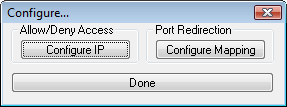
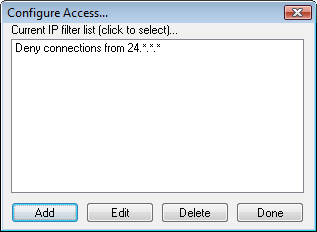
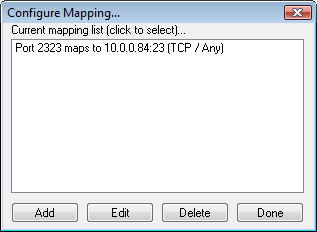
 Do you need to map a specific TCP or UDP port on your machine to another port on another machine? Do you want to limit access to a server on your machine based on the IP address of an incoming connection request? If these sound interesting to you, then AnalogX PortMapper is just what the doctor ordered (or programmer, in this case). AnalogX PortMapper allows you to map any port on your computer to any IP address and port on another machine; not only that, you can limit access based on the incoming IP address! So, say for instance that you are using a proxy, and would like to be able to telnet from other machines - simple, just run PortMapper, and tell it to forward any request to port 23 (telnet) to the machine you want to access. Now, any time you telnet to your proxy server machine, it automatically forwards the data to the other machine! Or, do you run a webserver, and only want people from IP address you specify to connect? No problem, PortMapper can do that as well! Overall, a great standalone program, or an excellent addition to a proxy or server!
PortMapper works on all versions of Windows, from Window 95 to Windows 7 and everything between (including XP, Vista, Win2k, etc). If you have a general question related to any of the programs on the site, or would like some additional info related to the downloads in general, then check out the downloads FAQ.


Configuration dialog

Access control dialog

Port mapping dialog

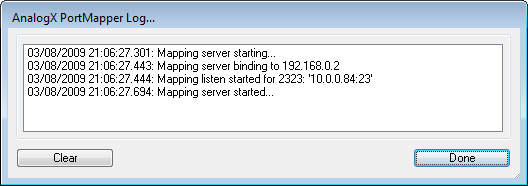
Log window
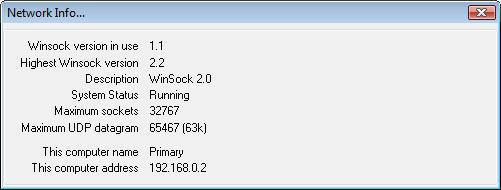
Network info dialog

 Download Here

Proxy

Do you have several machines on a network, but only one connection to the internet? Wish you could browse the net from the other machines, just like you can from the machine that's connected? Then what you're looking for is called a Proxy Server, and AnalogX has just what you want. AnalogX Proxy is a small and simple server that allows any other machine on your local network to route its requests through a central machine. So what does that mean in English? Simple, run Proxy on the machine with the internet connection, configure the other machines to use a proxy (it's very easy, there's a detailed description in the readme), and voila! You're surfing the web from any other machine on your network! Supports HTTP (web), HTTPS (secure web), POP3 (receive mail), SMTP (send mail), NNTP (newsgroups), FTP (file transfer), and Socks4/4a and partial Socks5 (no UDP) protocols! It works great with Internet Explorer, Netscape, AOL, AOL Instant Messenger, Microsoft Messenger, and many more!
Proxy works on all versions of Windows, from Window 95 to Windows 7 and everything inbetween (including XP, Vista, Win2k, etc). If you have a general question related to any of the programs on the site, or would like some additional info related to the downloads in general, then check out the downloads FAQ.

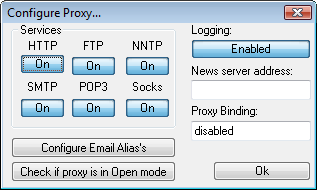
Configuration dialog

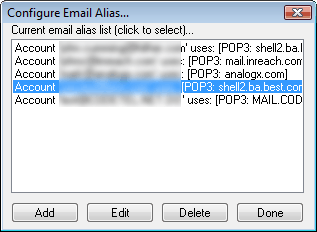
Email dialog

Download Here

HyperTrace

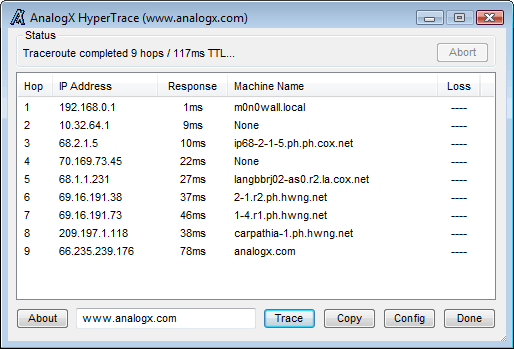
Have you ever wanted to know what other computers your information packets go through on the internet? Or maybe your connection seems a little bit slow, and you'd like to know where the slowdown's happening... These and many other questions can be answered by...
    AnalogX HyperTrace is a GUI version of traceroute, which shows you the route that information travels from your machine to another machine on the internet. Of course, AnalogX wasn't happy just making a GUI version, HyperTrace is also faster, and not just a little bit - an average of 20-30x faster than before! It displays each hop, machine name, machine response time, and the route TTL.
    If you're a system admin, or even just an interested user, AnalogX HyperTrace is a great tool to give you both information about your connection, as well as spot problem areas in your connection!


HyperTrace works on all versions of Windows, from Window 95 to Windows 7 and everything inbetween (including XP, Vista, Win2k, etc). If you have a general question related to any of the programs on the site, or would like some additional info related to the downloads in general, then check out the downloads FAQ.

Main dialog

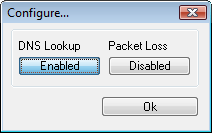
Configuration dialog

Download Here

Atomic TimeSync

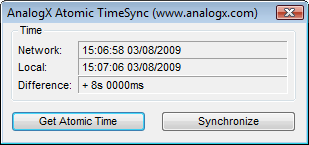
 How do you set the time in your house? I don't mean do you know how to set the clock on your VCR, but what TIME do you actually enter? Do you just use the normal 'best guess' approach that practically everyone else does? If so, then get ready for the real deal - set your clock using THE timekeeping source, the National Institute of Standards and Technology . NIST maintains the primary frequency (time) standard for the United States, and operates a special server using the Network Time Protocol (NTP) to allow Internet users to get the time from them! Of course, if you're not based in the U.S., don't worry, you can go to the NTP Homepage and get a listing of servers worldwide, so you can pick the one closest to you.
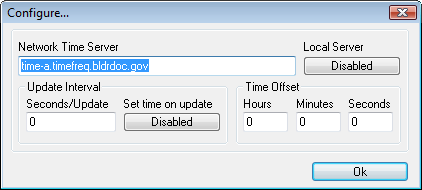
    Once ATS is set up, you can have it periodically set your system clock; plus it even has a built-in NTP server so you can synchronize all of your other computers quickly and easily! You can even specify a custom time offset to ensure that it sets your clock just the way you like it (I like my clocks 10 minutes fast, so I'm always a bit early).


Atomic TimeSync works on all versions of Windows, from Window 95 to Windows 7 and everything inbetween (including XP, Vista, Win2k, etc). If you have a general question related to any of the programs on the site, or would like some additional info related to the downloads in general, then check out the downloads FAQ.

Configuration dialog
Syncronization dialog

Download Here

WhoIs ULTRA

    If you've ever registered a domain name, or even considered it, you've probably discovered what a hassle it is using the web-based interfaces to the old UNIX command, whois. Wouldn't it be cool if there was a more hip, GUI solution? I thought so, and here it is...
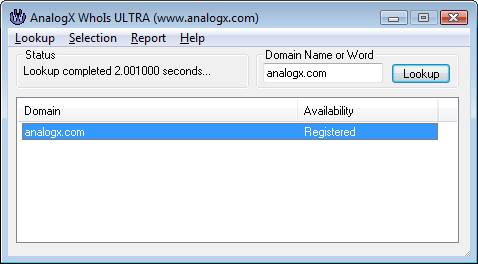
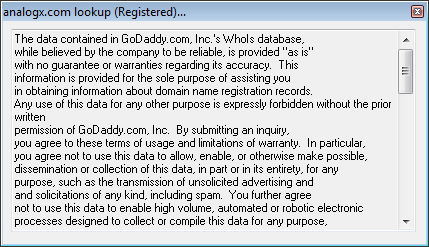
    AnalogX WhoIs is a GUI application that goes out on the net and looks up domain registration information. How is this useful? Well, there's several uses for this particular tool, first and foremost is identifying whether or not a domain has already been registered. WhoIs also will let you enter already registered domains and return the administration/owner contact information, in case you want to contact the people directly.
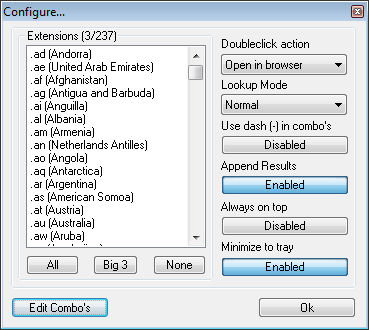
    Of course, if that was all it did, then it wouldn't be much of an improvement... But there's more, you can also automatically launch your web browser and have it go to the page you just did a request on! Still not enough? You can even enter in keywords and have it scan for different domain name combinations - then generate HTML reports from the results! What about people who don't live in the USA, and want something other than a .com/.net/.org? No problem - WhoIs ULTRA supports ALL top level domains (TLD's), and you can quickly and easily add your own to the list! So if you're serious about domain registration, or even just curious, check this out!
WhoIs ULTRA works on all versions of Windows, from Window 95 to Windows 7 and everything inbetween (including XP, Vista, Win2k, etc). If you have a general question related to any of the programs on the site, or would like some additional info related to the downloads in general, then check out the downloads FAQ.

Main dialog

Configuration dialog

Details dialog

Download Here

Saturday, March 1, 2014

Keyword Extractor

Have you ever wondered why some websites end up higher on search engine results than others? Now there's a new tool to add to your search engine analysis - AnalogX Keyword Extractor!
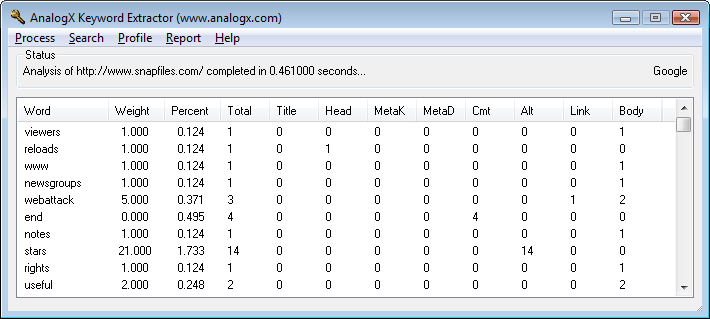
    AnalogX Keyword Extractor (KeyEx) extracts all of the keywords off of a webpage, and then sorts and indexes them based off of their usage and position. Once indexed, you can adjust search-engine specific weighting factors and keyword criteria to get the best possible view of how a search engine sees your site. KeyEx can load up both local files as well as files off other websites, and even can work through a proxy, and can have separate configurations for as many search engines as you'd like to enter!
Keyword Extractor works on all versions of Windows, from Window 95 to Windows 7 and everything inbetween (including XP, Vista, Win2k, etc). If you have a general question related to any of the programs on the site, or would like some additional info related to the downloads in general, then check out the downloads FAQ.

Main dialog

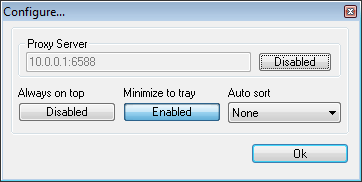
Configuration dialog

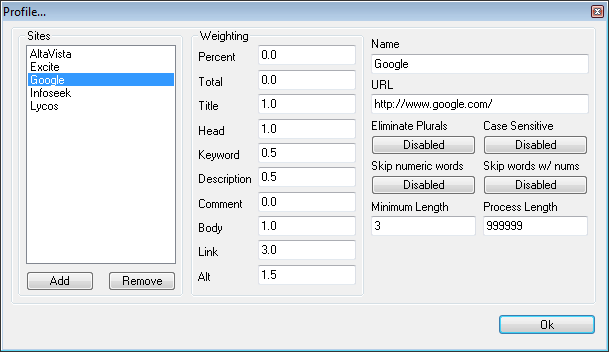
Profile dialog

 Download Here

ListMaster Pro

If you run an email mailing list (or have been considering starting one), then you need AnalogX ListMaster Pro!
    AnalogX ListMaster Pro allows you to quickly and easily manage a mailing list - from a couple hundred people, to lists spanning hundreds of thousands - all from a simple to use interface! It helps you identify which email addresses are valid or invalid, lets you sort them by a number of criteria, it will even let you see how many people are subscribing from different countries (based off their domain extension)! Best of all, it's ULTRA fast, it can load and sort a list of over 100,000 addresses in under 10 seconds! It can removed duplicate entries from that same list in less than 2 seconds, and it's completely multi-threaded for maximum performance when performing any time consuming task.
ListMaster Pro works on all versions of Windows, from Window 95 to Windows 7 and everything inbetween (including XP, Vista, Win2k, etc). If you have a general question related to any of the programs on the site, or would like some additional info related to the downloads in general, then check out the downloads FAQ.

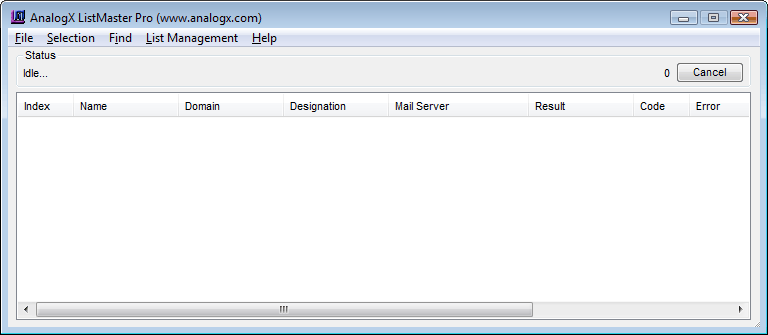
Main dialog

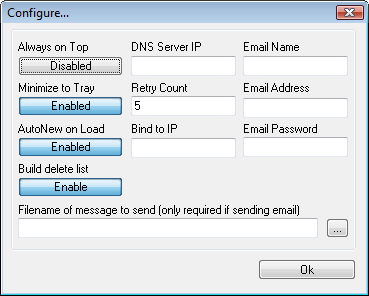
Configuration dialog

 Download Here

NetStat Live

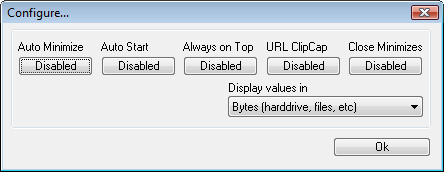
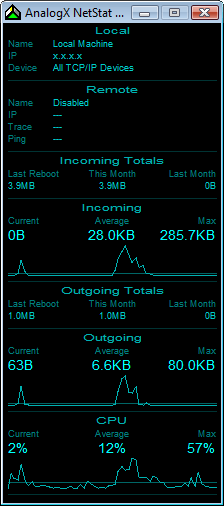
Have you ever wondered just how fast your network connection is? Not just how fast the modem is connected at, but how much data you can actually get? Does your internet connection sometimes seem slower than normal? Forget hacking the registry or using counter-intuitive tools to get the information you want - enter the world of AnalogX NetStat Live (NSL)! NSL is a small, easy to use TCP/IP protocol monitor which can be used to see your exact throughput on both incoming and outgoing data - whether you're using a modem, cable modem, DSL, or even local network! NSL doesn't just stop there, it lets you see how quickly your data goes from your computer to another computer on the internet; it even will tell you how many other computers your data must go through to get there! But wait - there's more! NSL also graphs your CPU usage of your system! This can be especially useful in identifying if your computer is what's slowing things down, or if it's your internet connection.
NetStat Live works on all versions of Windows, from Window 95 to Windows 7 and everything inbetween (including XP, Vista, Win2k, etc). If you have a general question related to any of the programs on the site, or would like some additional info related to the downloads in general, then check out the downloads FAQ.

Configuration dialog

Main dialog

Download Here


PacketMon

Are you interested in not just knowing that a particular program is using the internet, but actually viewing the communications? Do you need to log certain network activity, but have no easy means to do so? Or are you just bored and looking for a new network toy to play with? Whether you're a network administrator, network programmer or power user, AnalogX PacketMon is a fast and simple to use network monitor!
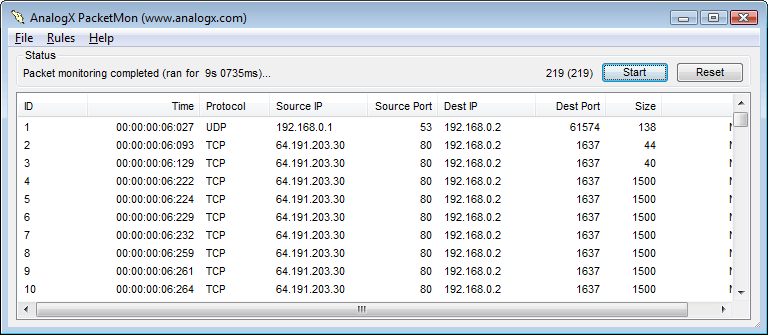
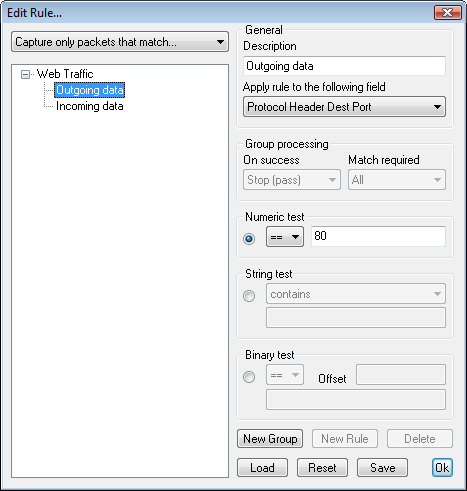
    AnalogX PacketMon allows you to capture IP packets that pass through your network interface - whether they originated from the machine on which PacketMon is installed, or a completely different machine on your network! Once the packet is received, you can use the built-in viewer to examine the header as well as the contents, and you can even export the results into a standard comma-delimited file to import into your favorite program. As if that's not enough, PacketMon has a powerful rule system that allows you to narrow down the packets it captures to ensure you get EXACTLY what you're after, without tons of unrelated information.
PacketMon works on Windows 2000 (it's about time to upgrade) or any version of Windows written in this century (so XP, Vista, Windows7, etc). If you have a general question related to any of the programs on the site, or would like some additional info related to the downloads in general, then check out the downloads FAQ.

Main dialog
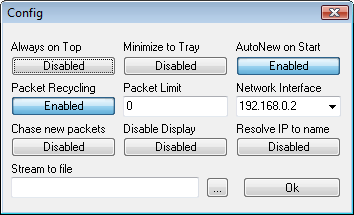
Configuration dialog
Rules dialog

Download Here

FastCache

 As long as there's an Internet, everyone is going to want to do things faster. Browse the web, ping servers, download files, whatever. Every time you go to a new website, or a website you haven't been to in a day or so, your computer needs to locate the server again using DNS. Each DNS request can take anywhere from 50 milliseconds, to even a second or more, but most are in the 100 to 200 millisecond range. Want to save a couple hundred milliseconds? Probably not, but what about a couple million or more? That's what AnalogX FastCache is all about.
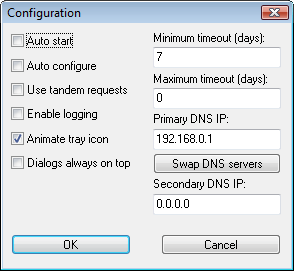
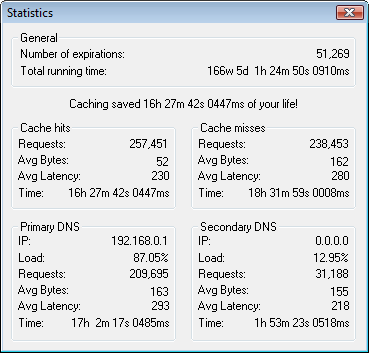
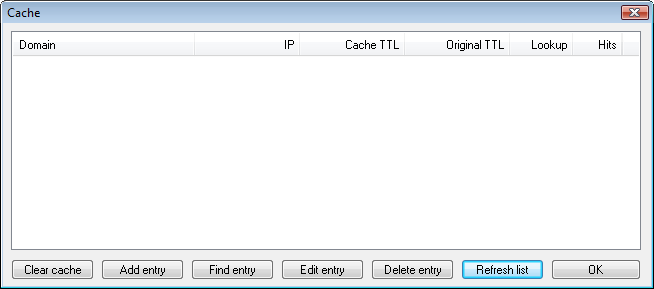
    AnalogX FastCache is a caching DNS server that runs on your local machine and handles any DNS request that your computer makes, from Internet Explorer to your favorite FTP client. Once a query is made, FastCache will override the normal timeout for the item with one that you specify, so instead of saving a query for a couple of seconds, it can save it for a couple of days. Now every time you ask for it again while it's in the cache, it gives it to you instantly.
FastCache works on all versions of Windows, from Window 95 to Windows 7 and everything inbetween (including XP, Vista, Win2k, etc). If you have a general question related to any of the programs on the site, or would like some additional info related to the downloads in general, then check out the downloads FAQ.

Configuration dialog

Statistics dialog

DNS Cache

 Download Here

ITR Client

How many times has your Internet connection been sluggish, and you wondered if it was your provider or something larger happening. That problem is what spawned the Internet Traffic Report (ITR) , which has been actively tracking trends on the net since the mid to late 90's. Wouldn't it be handy to have a quick way to use the same suite of tools the ITR utilizes to generate its reports? That's what this program is all about...
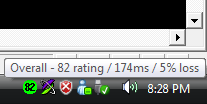
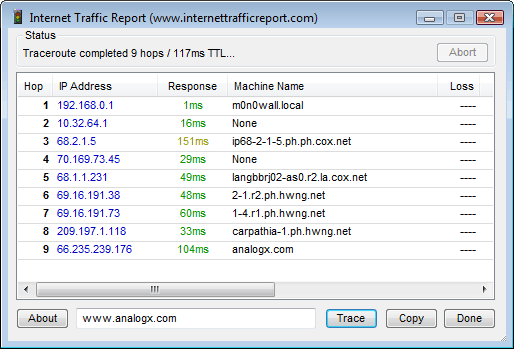
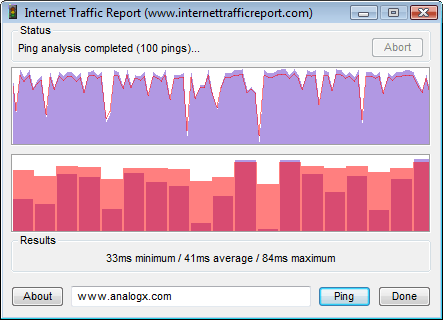
    AnalogX ITR Client is a GUI tool which gives you quick access to all the normal tools used to diagnose network problems, from ping to traceroute. But ITRC takes it one step further, giving clean graphical displays of the data as well as additional information to help you track down and identify where problems originate. Best of all, ITRC runs in the system tray, and displays the current ITR performance rating for either the entire Internet, or any of the other regions it tracks.
ITR Client works on all versions of Windows, from Window 95 to Windows 7 and everything inbetween (including XP, Vista, Win2k, etc). If you have a general question related to any of the programs on the site, or would like some additional info related to the downloads in general, then check out the downloads FAQ.

Main dialog
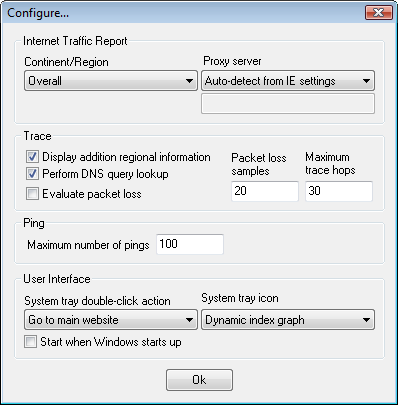
Configuration dialog

Traceroute dialog

Ping dialog

Download Here

AnonyMac

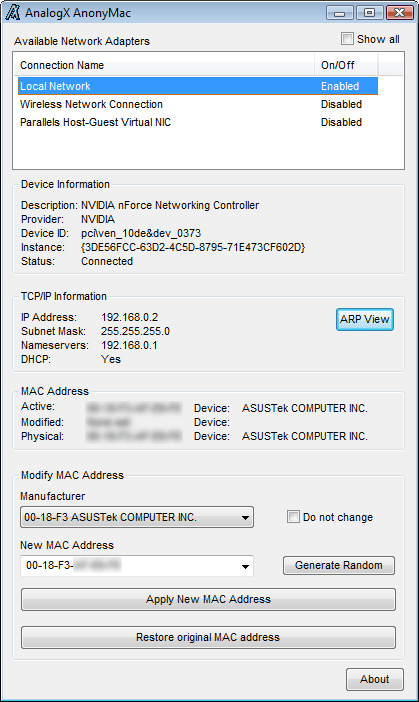
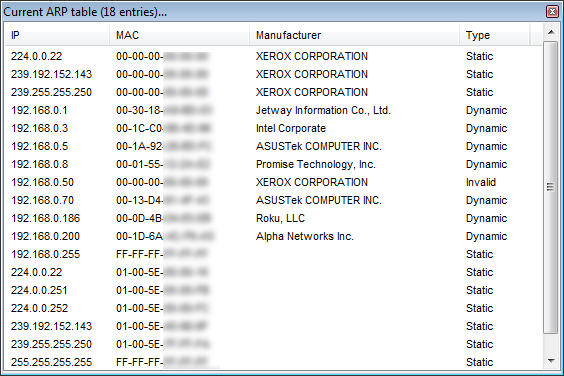
While not a common occurance, sometimes it's handy to be able to change you MAC address - whether it's simply to test something or to force a router to re-issue you a new IP - and that's where this utility comes into play. AnalogX AnonyMac allows you to quickly see all of your network connections, what MAC is currently assigned to them, and then change them to a completely new one. AnonyMac also decodes the manufacturer information from the MAC so you can see who actually made the NIC, as well as some of the basic IP settings associated with the connection. There is also an ARP viewer, which gives you the ability to see any of the MAC addresses of other computers on your local network along with decoded viewing of their MAC manufacturer.
AnonyMac works on all versions of Windows, from Window 95 to Windows 7 and everything inbetween (including XP, Vista, Win2k, etc). If you have a general question related to any of the programs on the site, or would like some additional info related to the downloads in general, then check out the downloads FAQ.

Main dialog

ARP view

 Download Here

LinkExaminer

 If you have your own website, then I'm sure you've run into the problem of broken links - whether they are links off of your site that are no longer there, or something that you moved around internally and forgot to update an old page. Either way updating and keeping tabs on a large site can be a real nightmare - and that's where AnalogX LinkExaminer comes in!
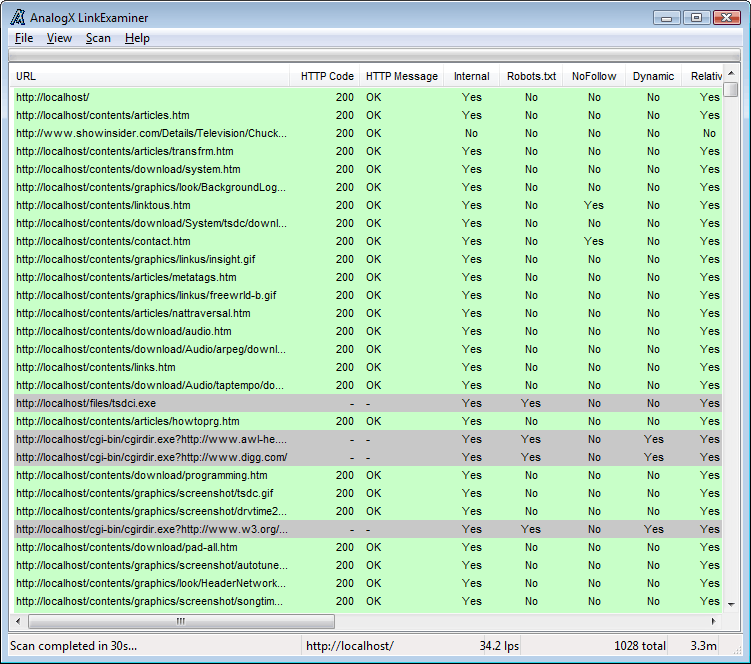
    AnalogX LinkExaminer at its core is a link checker, it goes through each and every page (assuming you have it set to) and parses the HTML in order to extract the links existing on the page. While it's parsing the page, it can also perform other checks; from simple tasks like extracting the page title, to SEO analysis, to more advanced tasks like identifying pages with high similarity to other pages. Once it's done, you can go over the results in the GUI, then export to a variety of formats including CSV and Google-compatible XML sitemaps. It also boasts a template-based HTML report generation engine, that allows you to make completely custom report to focus on the aspects of the scan that are most critical to you.
LinkExaminer works on Windows XP or any version of Windows newer than it (so Vista, more than likely Win2k, Windows7, etc). If you have a general question related to any of the programs on the site, or would like some additional info related to the downloads in general, then check out the downloads FAQ.

Main dialog

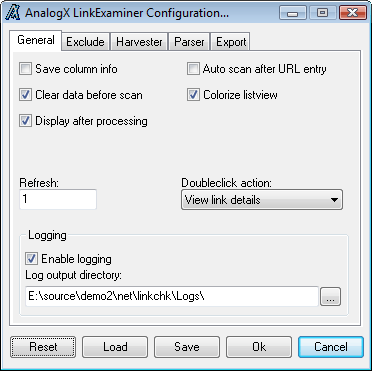
General configuration dialog

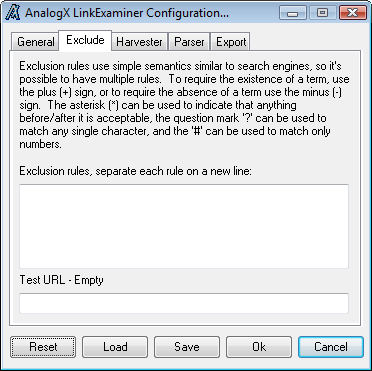
Exclude rules configuration dialog

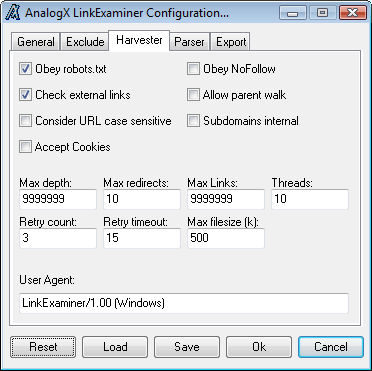
Harvester configuration dialog

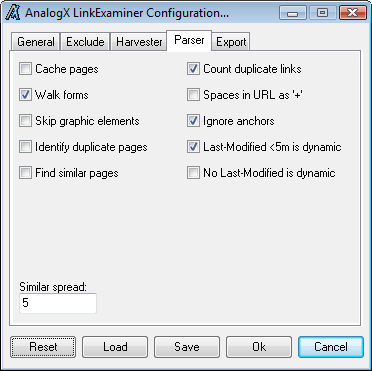
Parser configuration dialog

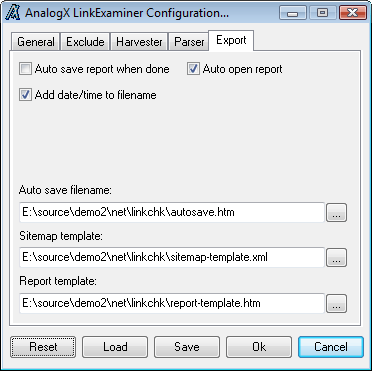
Export configuration dialog

 Download Here

Monday, February 24, 2014

WFilter Enterprise

A simple and reliable software solution for monitoring, filtering and blocking Internet activities on your network, from one computer

Written by Marina Dan

WFilter Enterprise is an efficient and user-friendly program whose main functions are to monitor and filter Internet behavior for various computers at once. The application needs to be installed on a single machine in a network, so the users of all other computers will not know their activities are being monitored.

WFilter Enterprise is a content-based tool that can intercept and record various activities, allowing you to track online behavior of employees in a company for instance. However, it does not perform screen monitoring or keylogging tasks.

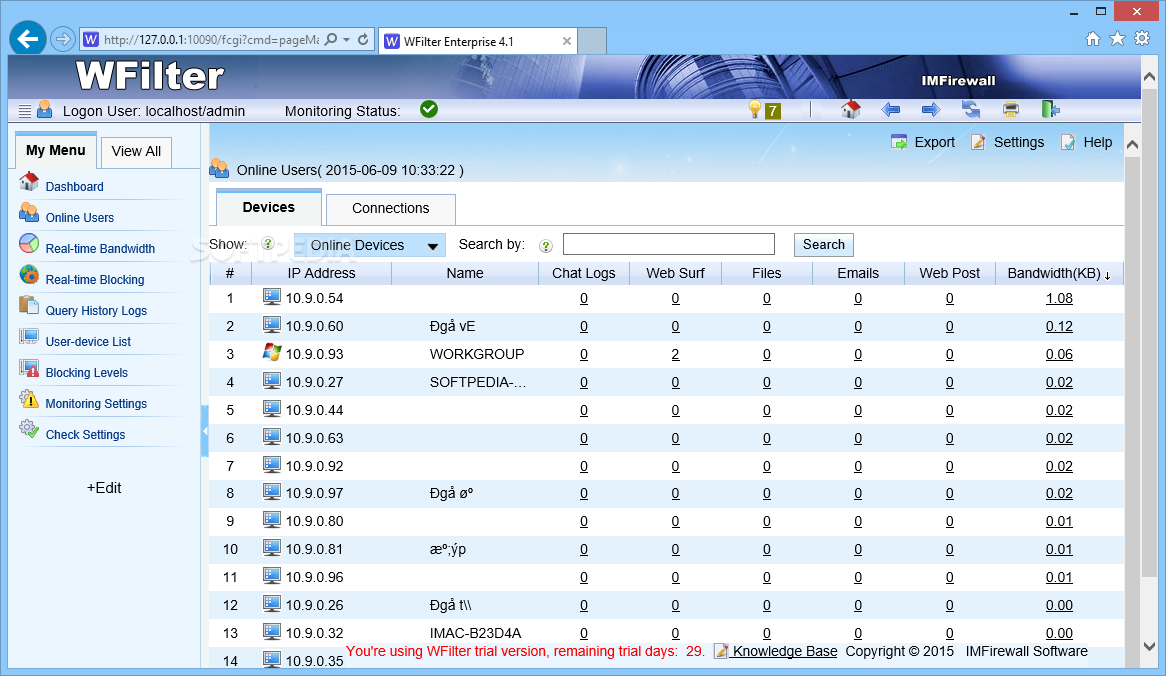
With WFilter Enterprise, you can monitor over 150 protocols and programs, including HTTP, FTP, Yahoo! or MSN. In order to monitor Internet activities, you can easily perform daily queries that offer a full report concerning chat, web surfing and email records, thus learning who is doing what during their work hours.

If the gathered information shows activities you disapprove of, you can easily block web surfing completely. You also have the possibility of creating white and blacklists, so as not to prevent access to websites that might be necessary in performing certain work tasks.

In addition, you can block the use of messenger programs and filter accounts, ensuring that your employees do not waste time chatting instead of working. Furthermore, you can also block peer-to-peer and online games, prevent file transfers and stop video streaming.

WFilter Enterprise can be set to show various alerts when a certain application is launched or specific keywords are pressed. Other alerts include bandwidth usage or an IP address changing.

The application will only provide you with relevant information, without putting the personal privacy of your workers at risk. As such, it is a great tool that tells you what your employees are doing during work hours, or why some of them have difficulty in completing their daily tasks.

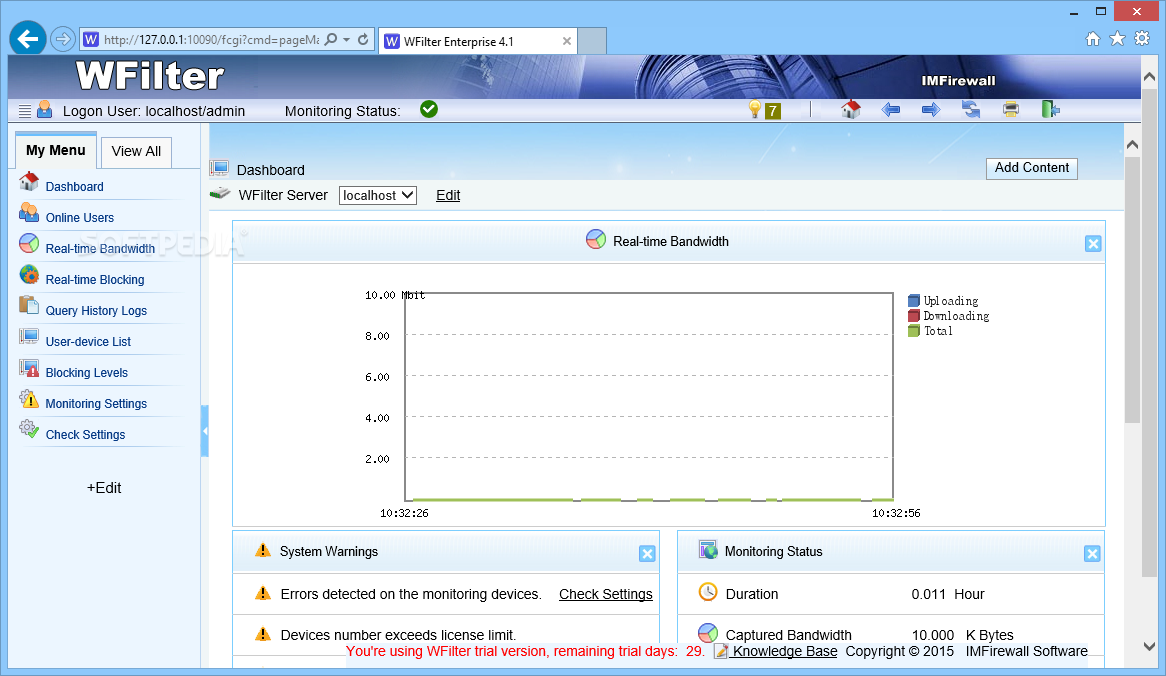
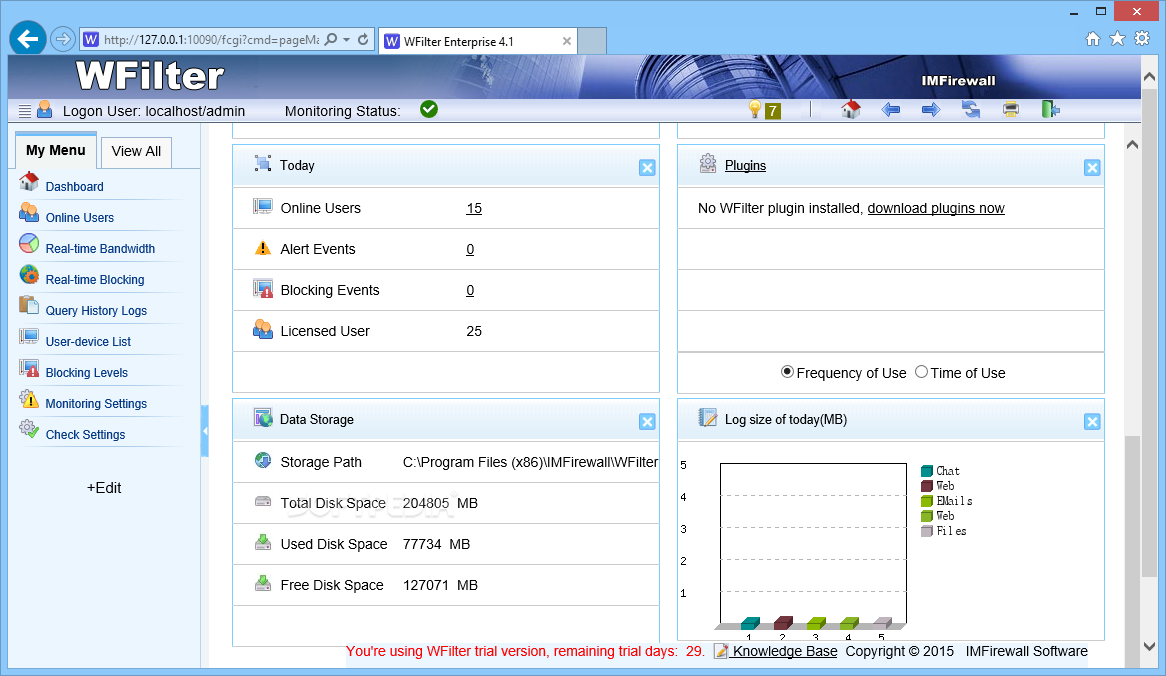
You can access the program's interface in any Internet browser with the administrator password that you set during the instalation

The program will display the statistics about the real time bandwidth allocation in this window

The user can easily generate detailed reports by choosing the type of report, the computers and the time interval
Homepage

Download Here


Friday, February 21, 2014

PC Audit

Easy PC audit, Mac, Linux and FreeBSD audit, reporting and software licenses management.
No exhausting preparations are needed to get your PC audit up and running: just install program on one computer and that's it - you're good to go. In a few short minutes you'll own data on all your Windows, Mac OS X, Linux and FreeBSD computers and network devices.
All the data is stored in a separate folder on your hard drive, where you'll find a small file for every network device you've scanned. Group your computers, attach comments, inventory numbers or all kinds of other information to them.
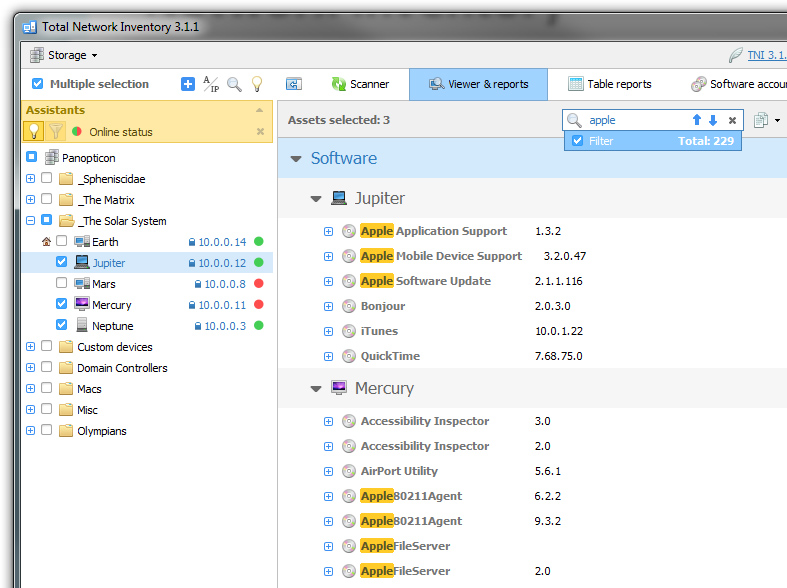
Hardware audit will show you all the software installed in your network: what version are present, what computers have them, how many copies are found and whether your licenses actually allow that many. License keys for some applications will be scanned automatically, and you're free to manually specify them for the rest.


Homepage

Download Here


NetInfo

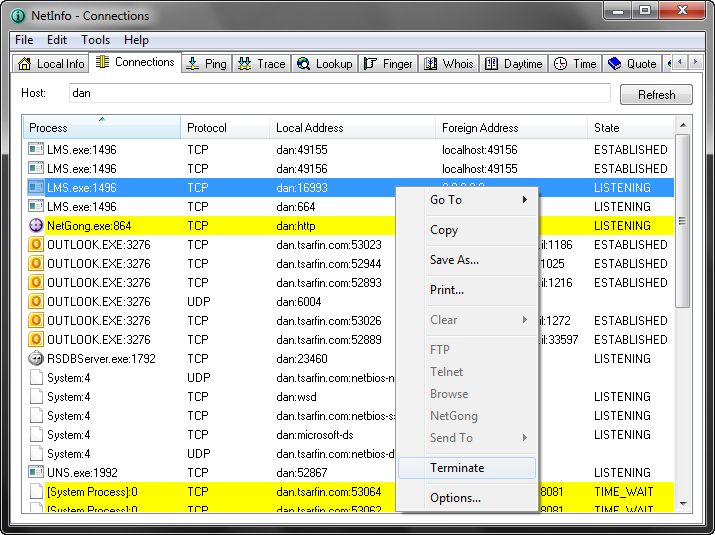
NetInfo is a collection of 15 different state-of-the-art network diagnostic tools on a single, easy-to-use interface. Designed from first-hand experience, NetInfo allows businesses to more effectively combat network downtime by allowing network administrators, webmasters, and Internet service providers to more accurately isolate faults, simplify processing of diagnostic data and increase internal network security. Main features: displays system IP addresses and MAC addresses, displays all local TCP/IP connections and their foreign connection IP address, allows you to quickly verify network connectivity to another IP address on the network, displays a list of routers between your system and the destination system, allows you to perform DNS forward and reverse lookup queries, displays information about users currently logged on to a specified server, allows you to query contact information for domains registered with a Whois server, displays the local time of day for any remote host specified, allows you to query the time value from a remote time server and synchronize the time value with your local system clock, allows you to view quotations from a remote Quote server, displays the HTML header code for any Web page address specified, scans for host names for a particular range of IP addresses and displays the state of each IP address in the range, lists the available network services (HTTP, Telnet, DNS, SMTP, and so on) for a particular host, allows you to verify any e-mail address by simply entering a full user principal name (user@domain.com), displays available online tools, how-tos, tips, and news.


Homepage

Download Here


Internet Connection Counter

This program displays various statistics about your Dial-up, GPRS, ADSL, LAN and so forth (TCP/IP) connections to the Internet. It can process almost all variety of tariff schemes, which are used by ISPs of different countries (money expenses for 1 business hour and for 1 Mb of traffic). Management of several connections (providers), each having its own settings and connection report (log files) with recorded session details and diagrams showing money, time and traffic statistics. Export of connection report table into Microsoft Excel. Ping of remote address. Synchronization of system time with public NTP servers of exact time in the Internet. The program has the following editable counters. Counters of the main window and speed counters may be arranged both horizontally (row) and vertically (column). Counter dimensions (width, height) can be adjusted, their readings - aligned (left, center, right). The special window for construction of graphs of speed of reception and transmission during a session. Options Wizard will help you to make initial ('draft') adjustment of the current connection.


Homepage

Download Here


Total Network Inventory

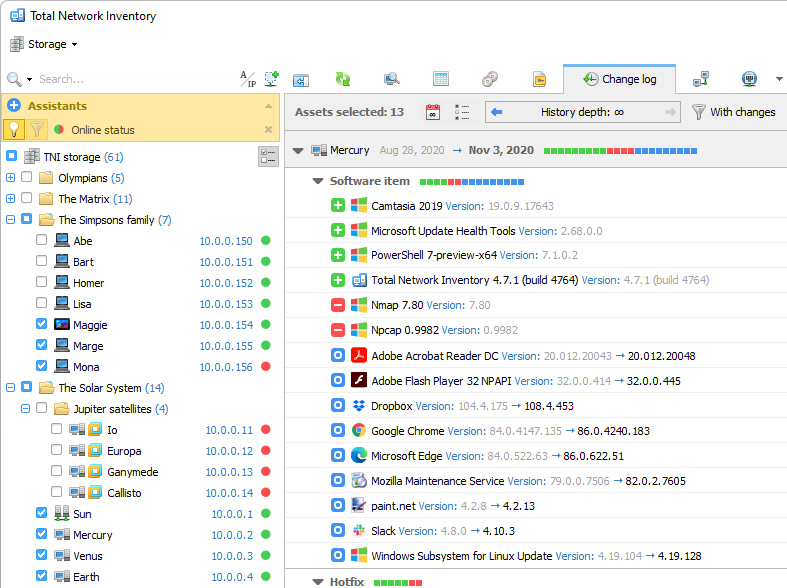
Build an inventory of your entire network without leaving a chair! Total Network Inventory will scan your entire network, query all servers, workstations and appliances discovered, and record important information about every piece of hardware found on your network. Build a perfect, effortless, hassle-free inventory. The network inventory builder is able to query all network devices no matter how large or diverse your network is!

Do you know the number of workstations still running Windows 95 or missing the latest service packs or essential updates? Total Network Inventory obtains essential information about each and every computer on your network in real-time including information on all service packs and hotfixes applied. The network inventory builder will store and organize information, providing you with a comprehensive report on a chosen subject in just a few clicks. With Total Network Inventory, all information about your network equipment is right at your fingertips!

Have a budget to spend on hardware upgrades? With Total Network Inventory, it's easy to figure out the oldest computers on your network. Just run Total Network Inventory, let it scan your network, and click to generate a comprehensive network inventory report detailing equipment used in each and every PC on the LAN. Click once more, and you'll see the oldest PCs appear on top of the list. It's just that simple!

Total Network Inventory can scan your entire network remotely, without you having to leave a chair or installing anything onto the PCs being scanned. Using Total Network Inventory is safe and secure; no data will ever leave your network.

Thanks to the step-by-step Scan Wizards, scanning your entire LAN to make a network inventory is as easy as clicking 'Next'. Detailed reports are easy to make and a breathe to read, providing important information about your network inventory presented in a simple way.


Homepage

Download Here